Gundi Radio Service
A small Windows Service that forwards radio location data from a local dispatch console to Gundi / EarthRanger so wildlife rangers see vehicle and personnel positions in real time.
It installs once on the dispatcher's box, runs in the background, and stays out of the way. A built-in web UI handles configuration, monitoring, and self-updates.
What it does
- Reads location records from one of four supported radio dispatch databases (Smart Dispatch Plus, Smart One Dispatch, Kenwood KAS20, TRBOnet).
- Forwards them in batches to one or more Gundi / EarthRanger destinations, filtered by radio group if you want.
- Keeps going across reboots, network blips, and service restarts — backed by a cursor file so no records get re-sent and none get skipped.
Three things that make it easy to live with
Set it up once, in a browser. A first-run wizard walks an operator through the database connection and the Gundi destinations. No config files to edit, no command line. The same UI is available from the desktop shortcut any time you want to check on it.
Updates apply themselves. When a new version is published, the Status page surfaces an "Update to X.Y.Z" button. Click it once — the service swaps itself in place, restarts, and you're done.
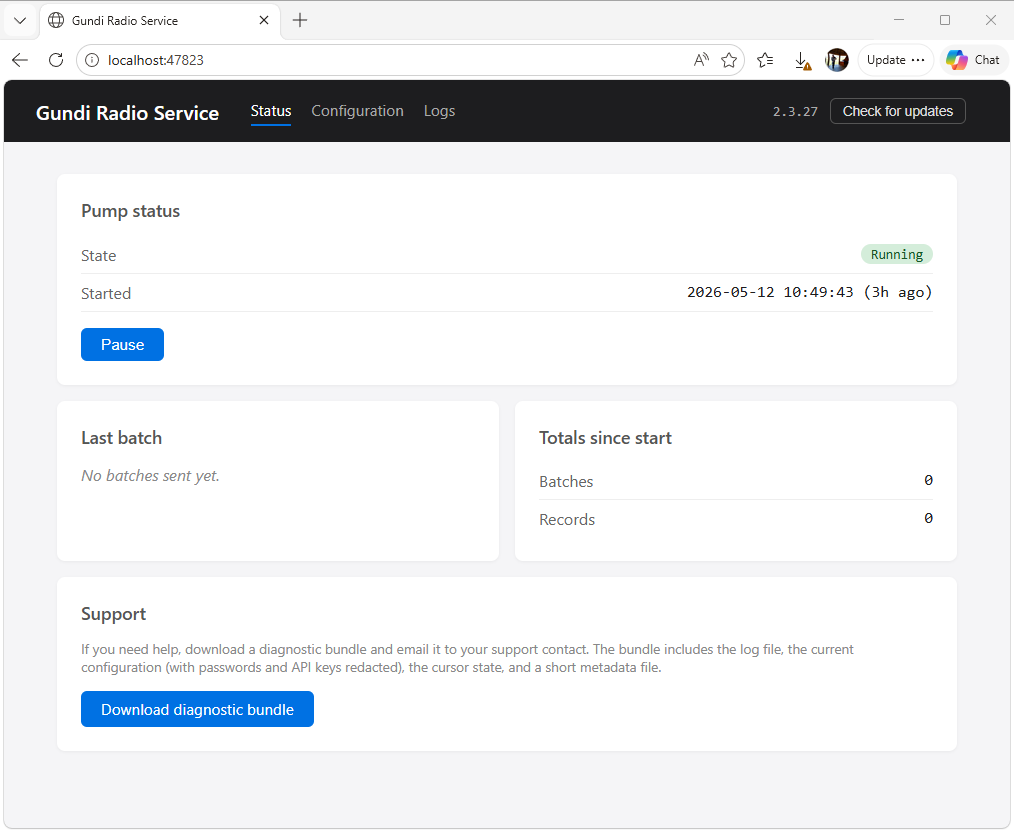
Honest about its state. The Status page shows whether the pump is running, when the last batch went out, what the cursor is currently at, and the last error if there was one. If something's wrong, the operator (or a support tech) can see what without grepping log files.
What it doesn't try to do
- Run as a cloud service. Everything runs on the customer's Windows box. No data leaves the box except the outbound HTTPS call to Gundi.
- Replace the dispatch console. It reads the same database the dispatch software writes; it doesn't talk to radios directly.
- Authenticate the local UI. The UI is bound to localhost only, so it's only reachable from the box itself. The model assumes the operator using the UI is the same person who installed the service.
Ready to install? Head to Get started.